Introduction
Your React application executes within a browser. In order to deploy your application on the App Store or Google Play, you typically have no other choice but to hire mobile developers or learn Swift or Kotlin alongside React. With Capacitor.js, however, you can deploy real native apps to stores without having to learn any new technologies or hiring mobile developers.
Capacitor was tested for an existing React client application which was already working. The changes made to React were minimal. All other changes were made surrounding it, including Xcode, Android Studio, permissions, synchronization, signing, etc. This document presents our findings.
The Purpose: Web Proficiency, Native Application Generation
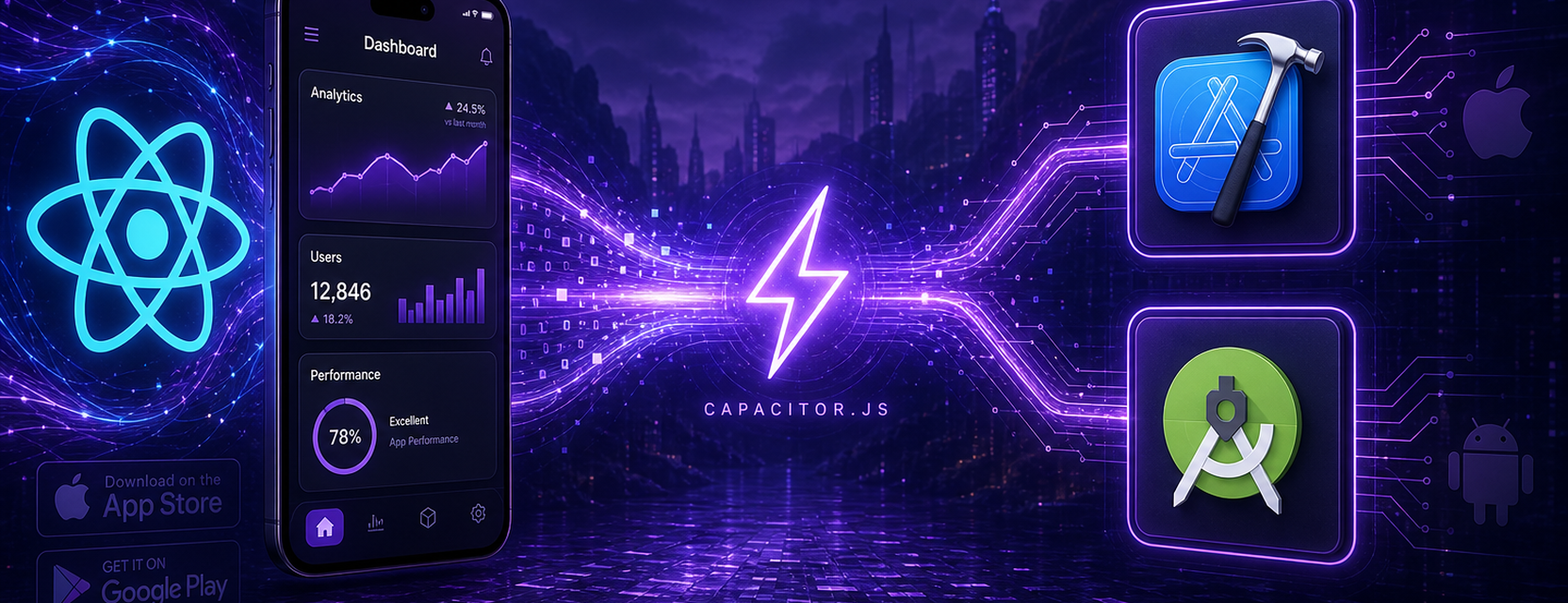
Capacitor was designed to solve the problem of bringing the gap between web programming and the production of mobile apps. Using what you already know React, Vite, and npm Capacitor creates native applications for both iOS and Android with a webview.
What it tries to accomplish:
Enable web development teams to deploy native applications without turning into mobile developers overnight.
Provide access to the camera, GPS, push notifications, and other device functionalities via JavaScript plugins.
Maintain the existing hot reload capabilities and the familiar frontend development process without having to switch everything.
Make builds that can be shipped right out of the box without any risk of being summarily rejected by Apple or Google.
Hybrid build systems from the past used to abstract away the native project from you. Capacitor flips the script. Instead of having your builds wrapped in an abstraction, you can access actual Xcode and Android Studio projects.
Important Features
Plugin system Official plugins include those for Camera, Geolocation, Push Notifications, etc. There are community plugins that can fill other gaps. Should none be applicable, you may create one yourself using Swift or Kotlin.
Live reload Connect Capacitor with your Vite or CRA development server and then use the command npx cap run ios --livereload. The changes will instantly appear in the iOS simulator or on your smartphone.
Same code, different platforms: one codebase targeting iOS, Android, and web (PWA). It's framework agnostic too; React was our choice but any other would do, such as Vue or Svelte.
You have full control over your native app: use npx cap open ios to open your project in Xcode. Or run npx cap open android for Android Studio.
Oddities and Troubles
Capacitor does work. Just not by magic. Here’s what wastes our time.
Platform Detection
Sometimes App.getInfo() will return information about the platform that you do not expect. If you want to make absolutely sure whether your code is running in a mobile app or a website, you still need to check the user agent:
const isMobile = /Mobi/i.test(window.navigator.userAgent);Permissions Must Be Done Manually
Info.plist modifications for the camera plugin on iOS? That's on you. Capacitor won't automate this process.
<key>NSCameraUsageDescription</key>
<string>This app needs access to the camera to take photos.</string>
<key>NSPhotoLibraryUsageDescription</key>
<string>This app needs access to the photo library to select pictures.</string>
Skip this step, and you'll have an application crash or fail camera functionality.
Simulators Cheat
Camera, cellular connection, certain sensors, security storage these either don't exist or simulate in simulators. For anything that requires access to the actual device, you better test your application on a physical one. We found this out after weeks debugging a camera feature working in Chrome.
Version Matching
@capacitor/cli, @capacitor/core, @capacitor/ios, and @capacitor/android need to be matched to the same version number. If mismatched, the JS bridge gets out of sync with the native code and you get build errors or runtime failures.
Sync Command
The npx cap sync command builds your web project assets and places them in the native project directory. It’s one of those commands that you use frequently. It fails from time to time because of permissions issues or bad configuration in your native app. Also, remember that you must build before syncing.
Two Sources for Finding Bugs
Bugs that occur in the JavaScript console include both front-end errors as well as plugin API bugs. Native crashes are visible in either Xcode or adb logcat. When you have a broken plugin, you will not get much in the browser at all.
Live reloads behave differently than the build after npm run build && npx cap sync.
React Developers How Easy is It?
We would give it an 8 out of 10.
Your React application isn’t transformed into anything. The entire codebase runs within a WebView. Components, Hooks, Redux, Context, Zustand, React Router, Tailwind, ShadCN everything just worked for us right away.
Initial setup takes somewhere around 20 minutes for the first time. Native features can be added one by one rather than doing conversion all at once. Documentation is decent and can be copied from there. Whenever we faced an issue, someone on Stack Overflow or GitHub had done that already.
Learning curve is definitely not about React. It is all about mobile development permissions, certificates, background processes, and app store policies. None of this has anything to do with Capacitor perse.
Development Workflow
Install and init:
npm install @capacitor/core @capacitor/cli
npx cap init
npx cap add ios
npx cap add android
Day-to-day UI work: npm run dev in the browser like always.
Test on device: npx cap run ios --livereload for simulator or phone with hot reload.
Add a native feature:
import { Camera } from '@capacitor/camera';Use it like any other npm package import.
Native config: npx cap open ios or npx cap open android when you need to set permissions or signing.
Ship it:
npm run build && npx cap syncThen build and submit from Xcode or Android Studio.
Capacitor vs. The Other Options
| Factor | Capacitor + React | Separate Native Apps | Web-Only PWA |
|---|---|---|---|
| Code reuse | One React codebase | Swift + Kotlin, two teams | Web only |
| Device APIs | Via plugins | Full native | Very limited |
| App store | Yes | Yes | Weak / no install |
| Setup for web devs | ~30 minutes | Months | Already done |
| Live reload on phone | Yes | Varies | N/A |
| Main headache | Permissions, sync, versions | Two codebases | No native features |
Implementation Recommendations
Ensure matching versions of Capacitor packages before each new release. cli, core, ios, android should all be the same version.
Ensure proper permissions are set in Info.plist and Android manifest before using Camera, Geolocation, or any hardware functionality.
Use the hardware early. Simulation is a waste of time because it focuses only on the camera and sensors.
Build and synchronize. npm run build && npx cap sync. It's mandatory.
If there's an error with a plugin, examine both Xcode or logcat and the JS console.
Produce builds and live reload builds are two different binaries. Verify them separately.
Conclusion
The use of Capacitor.js can help those web developers who use React achieve access to mobile environments without changing much of their existing code. In other words, they will have to address issues relating to the mobile environment, not React.
It made sense in this scenario. React developers score a 8/10 in terms of ease of adoption. It is not a perfect solution but a pragmatic approach towards achieving iOS & Android without starting afresh in two new languages.
Technical Aspects
Core Stack
Capacitor.js (from @capacitor/core and @capacitor/cli packages)
Platform-specific packages (from @capacitor/ios and @capacitor/android packages)
React app running within native WebView
Official & community-created Capacitor plugins
Typical Process
Set up Capacitor, initialize a project, add both iOS and Android UI
Test on device with live reload
Add plugins if required
npm run build, npx cap sync, publish using native IDE
Important Constraints:
Version compatibility of Capacitor plugins
Native permission configuration manually
Insufficient simulators for hardware functionality
npx cap sync needed for each web build
Error messages are found in the JS console and native console
React Developer Adoption Rating: 8/10
Reference: